
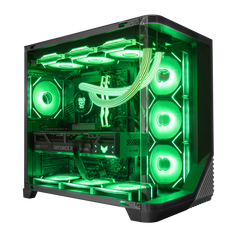
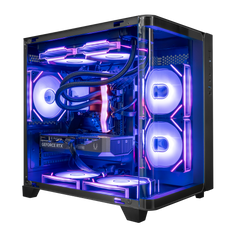
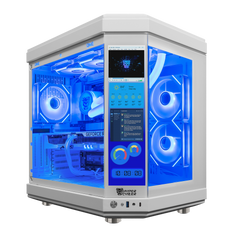
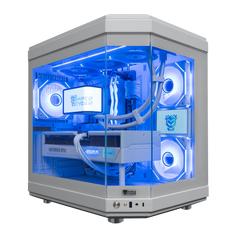








Direct answer: Florida does not require one special gaming-PC cooler. What matters is the temperature of the air entering the case, an unobstructed path from intake to exhaust, enough clearance around every vent, a cooling layout matched to the installed parts, and regular attention to dust and indoor moisture. A stronger cooler cannot compensate for a case pressed into a closed cabinet or fed hot, restricted air.
Tampa's outdoor climate makes the room worth discussing. The National Weather Service's 1991–2020 Tampa normals list average daily highs above 90°F from June through September. That is outdoor context, not a claim about the temperature inside every Florida home. The useful question is simpler: what air is the PC actually pulling in, and can it move that air through the case without recirculating its own exhaust?
| Room or setup condition | Practical response | What to avoid |
|---|---|---|
| Warm room during a long workload | Keep the room within the PC and component manufacturers' operating guidance, verify vent clearance, and compare temperatures under the same workload and room conditions. | Assuming more fan speed can turn warm intake air into cold air. |
| Desk compartment or wall close to the case | Give every active intake and exhaust a clear path and prevent hot exhaust from returning directly to an intake. | Closed cabinets, blocked mesh, or a rear exhaust pressed against a wall. |
| Dust, pet hair, or a low floor position | Inspect accessible filters and vents, keep the surrounding area clean, and follow the case or system documentation before cleaning. | Waiting until a filter or heatsink is visibly packed before checking it. |
| Move from a cold vehicle or cold storage into warm humid air | Leave the PC powered off until it reaches room conditions and any condensation has evaporated. | Powering on while moisture may be present. |
Start with the room, not the cooler label
A PC cooling system moves heat from the processor, graphics card, memory, storage, power delivery, and other components into the surrounding air. The case then has to replace that warmer air with cooler room air. Intel's current PC-cooling guidance notes that higher room temperature can contribute to overheating and that hardware placement, cable management, cleanliness, and case airflow all affect the result.
This is why a temperature screenshot without room context is incomplete. The same system can behave differently in a cool open room, a warm enclosed office, or a desk compartment that traps its exhaust. Florida weather is relevant because it can make indoor temperature and moisture management more demanding. It does not prove that every Florida PC needs liquid cooling, a maximum fan count, or one universal temperature target.
Give intake and exhaust a real path
Identify which vents bring air in and which vents push air out. Many tower layouts use front or bottom intake with rear or top exhaust, but the correct direction depends on the case, fan orientation, radiator position, graphics card, and other hardware. Intel's desktop thermal guidance emphasizes the location of intake and exhaust vents, cards, and cables because a case can move a large amount of air and still leave a hotspot behind an obstruction.
Use the installed layout rather than a slogan. Check that an intake is not pressed into fabric, carpet, a wall, or a solid desk panel. Check that warm exhaust is not immediately pulled back into the case. Keep loose cables away from fan blades and avoid filling the airflow path with objects that do not need to be there.
More fans do not automatically solve the problem. Fans working against one another can create turbulence or recirculation, and an extra fan in the wrong direction can disturb the intended path. The goal is a coherent route through the case, not the highest fan count.
Case placement is part of the cooling system
A stable, hard surface is usually the safer starting point. Soft fabric can block lower vents, while a floor position may expose the case to more dust and pet hair. A desktop position is not automatically better if the rear exhaust is tight against a wall or the entire PC sits inside a closed cabinet.
There is no responsible universal clearance number for every case. Follow the system and case manufacturer's instructions, then look at the actual vented sides. Leave enough open space for those vents to work and for warm air to disperse instead of cycling back into the system. Dell's current desktop-care guidance, for example, tells owners to keep vents unobstructed, avoid closed units without adequate ventilation, and allow a computer to acclimate after temperature extremes. Apply the documentation for the system you own rather than copying one brand's number to every chassis.
Dust changes the airflow you actually have
Filters, mesh, heatsinks, radiators, and fan blades collect material over time. How quickly that happens depends on the room, pets, smoking, flooring, filter design, pressure balance, and how close the PC sits to the floor. A calendar alone cannot tell you the right cleaning interval.
Inspect the accessible intake filters and external vents often enough to learn the room. If buildup is visible, shut the PC down and follow the system, case, cooler, and warranty instructions before opening or cleaning it. Hold fans as directed rather than forcing them to spin with a blast of air, and never spray liquid cleaner into the case.
A slightly intake-biased layout can help direct more incoming air through filtered openings, but pressure is not a substitute for maintenance. The useful result is a clean, controlled path with the filters installed and serviced—not a label that says “positive pressure” while the main intake is blocked.
Humidity and condensation are different problems
High outdoor humidity does not mean a PC immediately becomes wet inside an air-conditioned room. Treat indoor moisture as a room-management issue. The U.S. Environmental Protection Agency recommends keeping indoor relative humidity between 30% and 50% as general indoor-air guidance and keeping areas clean and dry. That is not a PC benchmark or a Hyper Cyber temperature promise.
Condensation deserves separate attention. It can form when equipment moves between very different temperature and humidity conditions—for example, from a cold vehicle or storage area into warm humid air. Do not power on a computer while moisture may be present. Let it acclimate to the room and allow any condensation to evaporate, following the product manufacturer's handling instructions.
Do not place the tower where it can be exposed to rain, leaks, splashes, or air-conditioner drainage. If liquid enters the system, disconnect power only when it is safe to do so and follow the manufacturer's service guidance rather than treating it as a routine airflow issue.
Air cooling and liquid cooling can both work in Florida
The room does not choose the cooler by itself. A tower air cooler can be appropriate when its rated capability, case clearance, memory clearance, and airflow path fit the processor and workload. An all-in-one liquid cooler can be appropriate when the radiator support, pump and tube placement, case airflow, heat load, noise goal, and maintenance expectations fit the complete build.
Neither option removes heat from the room. Both move component heat into the case air and then into the room. Choose from the installed processor and graphics card, sustained workload, case design, physical clearances, acoustic preference, maintenance plan, and budget. Do not pay for a larger cooler merely because the shipping address is in Florida.
Measure a repeatable workload, not one dramatic number
If you are diagnosing a system, record the room condition, the same game or application, the same settings, the same test duration, component temperatures, clock behavior, fan speed, and any throttling or shutdown. Compare like with like. A lower number after cleaning a blocked filter is useful evidence; a screenshot taken in a different room under a different workload is not a controlled comparison.
Use the CPU, GPU, cooler, and system manufacturers' limits and monitoring guidance for the exact hardware. Stop and investigate if the PC shuts down, repeatedly throttles, displays abnormal fan behavior, leaks, smells hot, or behaves differently from its established baseline. One public “safe temperature” cannot cover every processor, graphics card, sensor, cooler, and workload.
What to check before choosing a gaming PC in Tampa
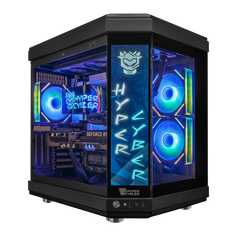
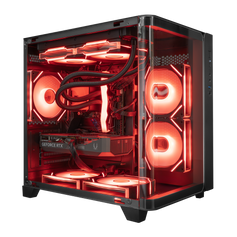
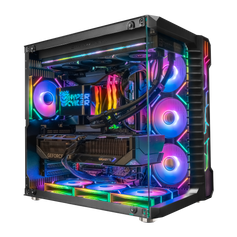
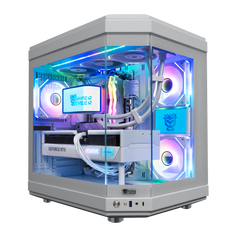
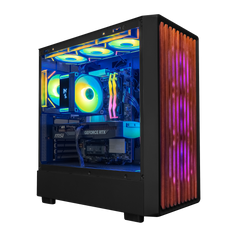
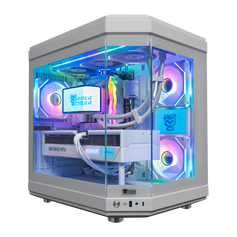
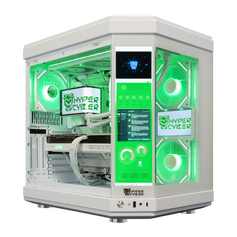
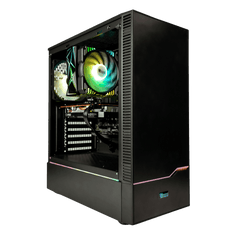
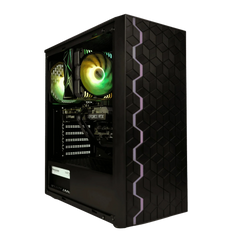
Start with the display, games, applications, room, noise preference, and upgrade plan. Then verify the case size, intake and exhaust layout, CPU cooler, graphics-card clearance, filters, power supply, and the exact current product specification. Hyper Cyber's guide to gaming PCs designed and assembled in Tampa explains the local buying path, while our gaming-PC testing page explains why cooling checks depend on the complete configuration.
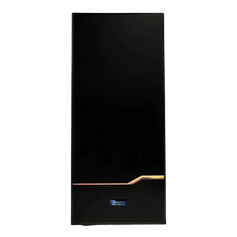
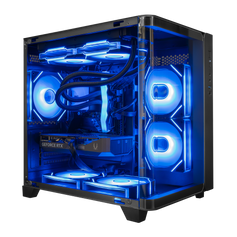
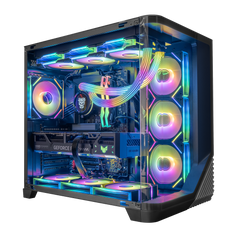
If the physical details are hard to judge online, the Hyper Cyber Tampa showroom can help you compare available systems' case size, vent layout, lighting, cable routing, and sound. Confirm that any display system you inspect matches the listing or proposal you plan to buy.
Browse current Hyper Cyber gaming PCs by complete configuration. If the available systems do not fit the room, workload, or cooling layout you need, use the custom PC builder and describe where the system will sit, what will run, and which noise or size constraints matter.
Gaming PC cooling in Florida FAQ
Does a gaming PC in Florida need liquid cooling?
No. Florida location alone does not determine the cooler. Match air or liquid cooling to the processor, graphics card, sustained workload, case, radiator or heatsink clearance, fan path, room conditions, noise preference, maintenance expectations, and budget.
Should a gaming PC sit on the floor?
It can, but use a stable hard surface and keep every intake clear. A low position may collect dust and pet hair faster, especially near carpet. Inspect the filters and surrounding area based on what the room actually deposits.
How much space should I leave around the case?
Follow the case or system manufacturer's clearance guidance. Keep every active vent unobstructed and leave enough room that exhaust can disperse instead of returning directly to an intake. Avoid a universal number that ignores the case's vent locations.
Can Florida humidity damage a gaming PC?
Normal indoor humidity is different from direct moisture or condensation. Keep the room clean and dry, address leaks or visible moisture, and follow general indoor-humidity guidance. After moving a cold PC into warm humid air, leave it powered off until it acclimates and any condensation has evaporated.
Do more case fans always improve cooling?
No. Fan direction, vent placement, restrictions, pressure balance, and the components in the path matter. Extra fans can work against the intended route. Build a coherent intake-to-exhaust path and validate it under a repeatable workload.
What temperature should a gaming PC run at in a Florida room?
There is no single number for every CPU, GPU, sensor, cooler, case, workload, and room. Use the exact component manufacturers' limits, monitor a repeatable workload, and investigate changes such as throttling, shutdowns, blocked vents, abnormal fan behavior, or temperatures that depart materially from the system's established baseline.
Bottom line: cooling starts outside the case. Give the PC cooler room air, a clear intake-to-exhaust path, clean filters and vents, and a layout matched to the actual hardware. Florida weather is a reason to pay attention to the room—not a reason to promise one cooler, fan count, or temperature for every system.
Sources and room-context notes
- Intel: PC cooling and airflow considerations
- Intel: desktop processor thermal-management recommendations
- U.S. EPA: indoor humidity and keeping rooms clean and dry
- National Weather Service Tampa Bay: Tampa 1991–2020 monthly temperature normals
- Dell: desktop placement, ventilation, and condensation handling


