







Gaming PCs


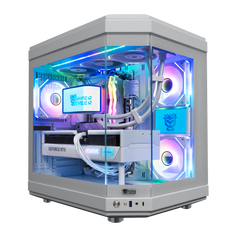
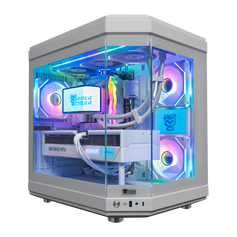
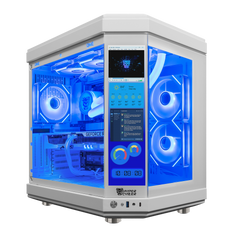
Quick view $17,299 / Hyper Cyber Ultra White | Intel Core Ultra 9 285K | NVIDIA GeForce RTX 5090 | Internal LCD Screen | Gaming PCintel core ultra 9 285kNVIDIA GeForce RTX 5090 32GB White64GB DDR5 32x2 RGB4TB M.2 NVMe SSD

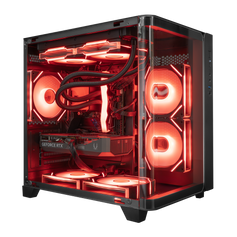
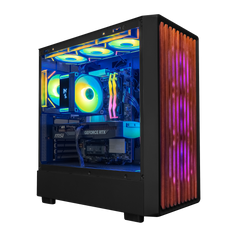
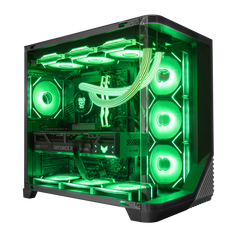
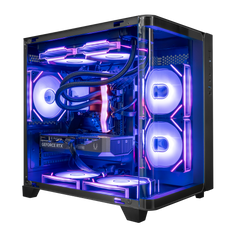
Quick view $15,559 / Hyper Cyber Quantum | Intel Core Ultra 9 285K | NVIDIA GeForce RTX 5090 | Gaming PCintel core ultra 9 285kNVIDIA GeForce RTX 5090 32GB64GB DDR5 32x2 RGB4TB M.2 NVMe SSD

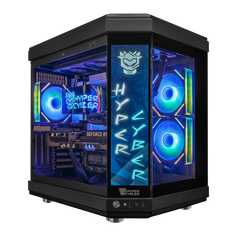
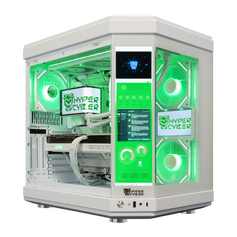
Quick view $15,639 / Hyper Cyber Ultra Black | Intel Core Ultra 9 285K | NVIDIA GeForce RTX 5090 | Internal LCD Screen | Gaming PCintel core ultra 9 285kNVIDIA GeForce RTX 5090 32GB64GB DDR5 32x2 RGB4TB M.2 NVMe SSD

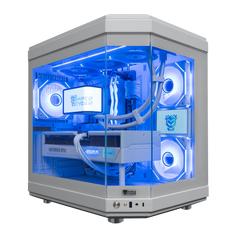
Quick view $4,299 / Hyper Cyber Ultra White | AMD Ryzen 7 9800X3D | NVIDIA GeForce RTX 5070 | Gaming PCAMD Ryzen 7 9800X3DNVIDIA GeForce RTX 5070 12GB32GB DDR5 16x2 RGB 64002TB M.2 NVMe SSD

Quick view $15,639 / Hyper Cyber Ultra White | Intel Core i9-14900K | NVIDIA GeForce RTX 5090 32GB | Gaming PCIntel Core i9 14900KNVIDIA GeForce RTX 5090 32GB White32GB DDR5 16x2 RGB 64002TB M.2 NVMe SSD

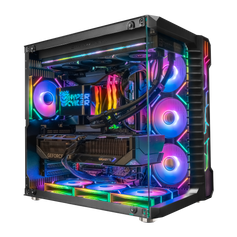
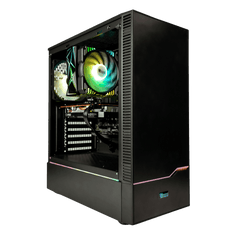
Quick view $6,239 / Hyper Cyber Ultra Black | AMD Ryzen 7 9800X3D | NVIDIA GeForce RTX 5080 | Gaming PCAMD Ryzen 7 9800X3DNVIDIA GeForce RTX 5080 16GB32GB DDR5 16x2 RGB 64002TB M.2 NVMe SSD

Quick view $5,059 / Hyper Cyber Ultra White+ | AMD Ryzen 7 9800X3D | NVIDIA GeForce RTX 5070 Ti 16GB | Side Panel Custom Display | Gaming PCAMD Ryzen 7 9800X3DNVIDIA GeForce RTX 5070 TI 16GB32GB DDR5 16x2 RGB 64002TB M.2 NVMe SSD

Quick view $4,279 / Hyper Cyber Ultra White | AMD Ryzen 7 9800X3D | NVIDIA GeForce RTX 5070 12GB | Internal LCD Screen | Gaming PCAMD Ryzen 7 9800X3DNVIDIA GeForce RTX 5070 12GB32GB DDR5 16x2 RGB 64001TB M.2 NVMe SSD

Quick view $4,379 / Hyper Cyber Ultra White+ | AMD Ryzen 7 9800X3D | NVIDIA GeForce RTX 5070 12GB | Side Panel Custom Display | Gaming PCAMD Ryzen 7 9800X3DNVIDIA GeForce RTX 5070 12GB32GB DDR5 16x2 RGB 64001TB M.2 NVMe SSD

Quick view $4,379 / Hyper Cyber Ultra Black+ | AMD Ryzen 7 9800X3D | NVIDIA GeForce RTX 5070 12GB | Side Panel Custom Display | Gaming PCAMD Ryzen 7 9800X3DNVIDIA GeForce RTX 5070 12GB32GB DDR5 16x2 RGB 64001TB M.2 NVMe SSD

Quick view $3,839 / Hyper Cyber Phantom | AMD Ryzen 7 9800X3D | NVIDIA GeForce RTX 5060 Ti | Gaming PCAMD Ryzen 7 9800X3DNVIDIA GeForce RTX 5060 TI 16GB32GB DDR5 16x2 RGB 64001TB M.2 NVMe SSD

Quick view $3,799 / Hyper Cyber Colossus | Intel Core i9-14900K | NVIDIA GeForce RTX 5060 Ti 16GB | Gaming PCIntel Core i9 14900KNVIDIA GeForce RTX 5060 TI 16GB32GB DDR5 16x2 RGB 64001TB M.2 NVMe SSD


How to choose a gaming PC
Begin with the experience and work the computer needs to support. Record the monitor resolution and refresh rate, the games and settings that matter, any streaming or recording, and the non-gaming applications that may run at the same time. That brief is more useful than choosing from one component badge or a universal performance label.
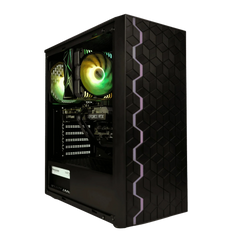
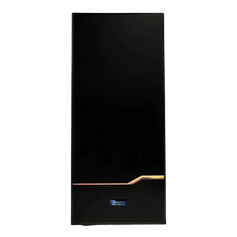
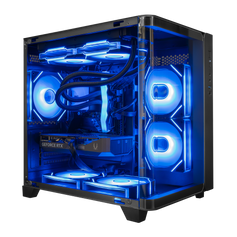
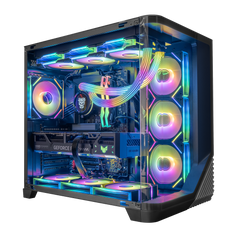
Use the filters to narrow the current systems, then open the individual listing and verify the exact processor, graphics card, memory, storage, motherboard, cooling, power supply, case, networking, ports, operating system, price, and availability. Product-family photography can show the design without proving every installed component.
Match the complete configuration to the job
- Graphics card and processor: Compare the pair for the games, resolution, settings, and frame-rate target you plan to use. Streaming, simulation, rendering, compiling, or other simultaneous work can change the balance.
-
Memory: Choose capacity from the games and applications that will run together. 32GB is a practical starting point for many high-end gaming configurations and normal multitasking. 64GB can make sense when a simulator, creator tool, development workflow, virtual machines, large project, or simultaneous workload has a real requirement for it. More unused capacity does not automatically raise game performance.
For the full capacity decision, read 32GB vs 64GB RAM for a high-end gaming PC.
- Storage: Allow room for Windows, the active game library, applications, recordings, and project files. Also check the exact system's available expansion options.
- Cooling, power, and case: Confirm that the cooler, fan and radiator layout, power supply, connectors, clearances, and case fit the selected parts and the room where the system will run.
Prepared configurations and custom builds
A prepared configuration can be the efficient choice when the complete specification matches the brief. Browse prebuilt gaming PCs and verify the exact current listing before ordering. If the available systems allocate memory, storage, cooling, or another part differently from what the workload needs, use the custom PC builder to describe the target and request a proposed configuration.
For a high-resolution display target, compare the qualified 4K gaming PCs. Buyers working with a lower ceiling can compare gaming PCs under $2,000. Collection membership and inventory can change, so the individual product page remains the source for current specifications, price, and availability.
Assembly, testing, warranty, and support
Hyper Cyber assembles and checks each system as a complete configuration before shipping. The exact checks depend on the hardware and workload; one universal benchmark, temperature, noise level, or test duration does not describe every PC. Read how Hyper Cyber tests gaming PCs and review the current warranty terms before ordering.
Hyper Cyber is based in Tampa, Florida. Buyers who want to compare available systems in person can review the current showroom information, including hours and visit guidance.
Gaming PC FAQ
Do I need 32GB or 64GB of RAM?
Use the requirements of the games and applications that will run together. 32GB can be a sensible high-end gaming and multitasking starting point. 64GB is useful when a specific simulator, creator application, development workload, virtual machine setup, large project, or simultaneous workload needs the extra capacity. More unused memory does not guarantee a higher frame rate.
Should I choose a prebuilt or custom gaming PC?
Choose a prepared configuration when its complete specification already fits the target. Use the custom builder when you need a different balance of processor, graphics card, memory, storage, cooling, appearance, connections, or upgrade options.
Which graphics card should I choose?
Start with the exact games, resolution, settings, ray tracing, accepted upscaling or frame generation, and frame-rate target. Compare current evidence for that workload and check the full system rather than treating one GPU name as a universal answer.
Are Hyper Cyber gaming PCs ready to use?
Check the individual product page for the included operating system and hardware. A listed system arrives assembled; the buyer still connects the display and peripherals, completes any account sign-in and current updates, and installs the games or applications they use.
What warranty is included?
Hyper Cyber's current standard coverage is three years for parts and one year for labor. Read the warranty page for the current terms, process, and exclusions.


