

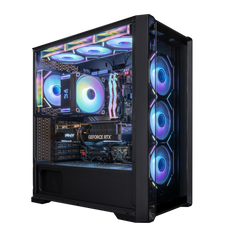



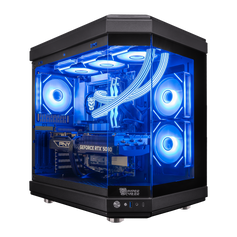
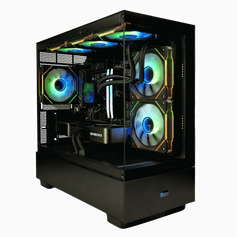
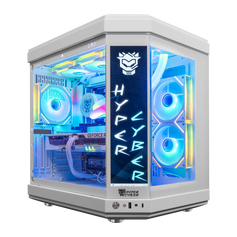




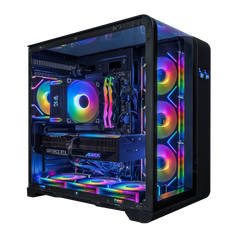

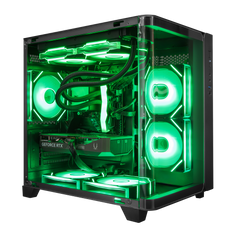
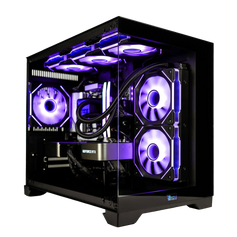
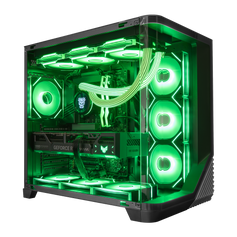
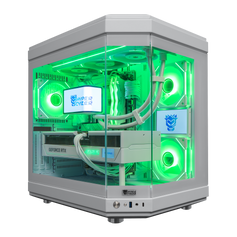







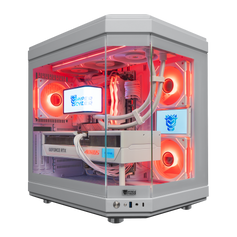

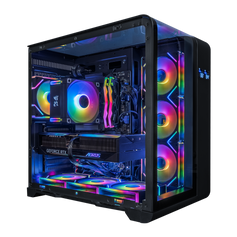

Every computer has a specific purpose. While they look similar on a desk, the parts inside a gaming PC and a regular PC do very different jobs. One is built for steady, quiet work, while the other is built for heavy lifting.
Computers for office focus on reliability and low energy use. These machines stay quiet and cool throughout an eight-hour day. The hardware handles light, predictable tasks easily without generating much heat.
A gaming PC, on the other hand, deals with intense, fast-changing data. A regular PC often struggles with complex multitasking or large media exports, while a gaming machine handles these high-bandwidth tasks with ease.
The Graphical Engine: Discrete vs. Integrated Solutions
The biggest factor in this comparison is how a computer handles images. Depending on the purpose of your machine, you will rely on one of two very different setups.
In a normal PC, the graphics tools live inside the processor. This is an "integrated" setup. Because it stays inside the main chip, it borrows memory from the system RAM to do its work.
This design saves money and space. It works perfectly for:
- Watching 4K videos.
- Browsing the web.
- Running office apps.
However, because it shares resources, it lacks the power to run heavy 3D games or complex simulations.
A high-end gaming PC uses a dedicated graphics card. It plugs into the computer but operates with its own hardware. It uses specialized parts to handle massive workloads:
- Own Memory (VRAM): has 8 GB to 24 GB of its own high-speed memory to store textures.
- Thousands of Cores: uses a massive army of small processors to do many tasks at once.
- Smart Tech: includes hardware for "ray tracing" (realistic light) and AI tools that make images sharper.
- Self-Cooling: has its own fans to stay cool while working hard.
The differences in raw power are massive. We measure this power in "teraflops".
|
Feature |
Integrated (Normal PC) |
Dedicated (Gaming PC) |
|
Location |
Inside the processor |
Separate card |
|
Memory |
Shared system RAM |
Dedicated VRAM |
|
Power |
~2 Teraflops |
10 to 80 Teraflops |
|
Best For |
Daily tasks & movies |
Gaming & video editing |
If the purpose is to edit high-resolution video or play the latest games, a dedicated card transforms the computer. It changes the system from a simple tool into a high-speed rendering engine.
Thermal Dynamics: Managing Heat Under Load
High performance generates heat. One of the most overlooked aspects of hardware design is how that heat is dissipated. A desktop PC built for general use typically utilizes a "stock cooler." This is a small block of aluminum with a modest fan, designed to dissipate the 65 watts of heat generated by a standard CPU.
A gaming PC must dissipate significantly more thermal energy. A high-end processor under load can generate over 200 watts of heat, while the GPU can add another 300 to 450 watts. Without advanced cooling, these components will hit their thermal limit and slow down to prevent damage, a process known as thermal throttling.
Advanced cooling solutions include:
- Large air towers with multiple heat pipes and dense aluminum fins.
- All-in-one (AIO) liquid coolers that transfer heat to a radiator.
- High-static pressure fans designed to push air through resistance.
- Liquid metal thermal compounds for efficient heat transfer.
In a normal PC, airflow is often secondary. In a gaming rig, it is a priority. The case design usually features mesh panels and multiple intake/exhaust fans to create a positive or neutral pressure environment. This proper cooling setup allows the components to run at their maximum advertised boost clocks for hours without degradation.
Future-Proofing: The Value of Upgradeability
A major factor in the gaming PC vs. regular PC debate is longevity. Many office-grade pre-built systems use proprietary form factors. The motherboard, power supply, and case connectors are often non-standard, making it impossible to replace parts with off-the-shelf hardware. If the power supply dies in a proprietary desktop PC, you often have to replace the entire machine.
A custom or well-built gaming PC adheres to ATX standards. This standardization provides superior upgradeability. You can buy a system today and, in four years, simply swap out the graphics card or add more RAM to keep it relevant. This modular approach extends the lifecycle of the machine significantly.
Benefits of a modular ATX architecture:
- Easy storage expansion with NVMe and SATA ports.
- Ability to swap the CPU without changing the rest of the system.
- Standard power connectors allow for higher wattage upgrades.
- Cases that support multiple motherboard sizes.
While a regular PC is often a disposable asset after five years, a gaming system evolves. This upgradeability means the initial investment pays off over a longer period, as you only replace the specific components that are bottlenecking performance.
Power and Aesthetics: Stability Meets Design
The power supply unit (PSU) is the backbone of any system. In a standard office computer, the PSU is often rated just high enough to run the base components, often around 250W to 300W, with basic efficiency ratings. It does the job, but it leaves no headroom.
A gaming PC requires a high-quality power supply to deliver stable voltage to sensitive parts. We typically see units ranging from 750W to 1200W with 80 Plus Gold or Platinum efficiency ratings. This clean power delivery prevents system crashes during power spikes — a common occurrence when a GPU suddenly demands maximum power during a complex scene.
Aesthetics also play a functional role. While RGB lighting is a hallmark of gaming culture, the visual design of a gaming PC case serves the hardware. Tempered glass panels offer a clear view of the components, making it easier to monitor hardware health and dust buildup while showcasing the build’s aesthetics. Cable management channels behind the motherboard tray improve airflow by removing obstructions.
Functional aesthetic features include:
- Dust filters on intake fans to keep internals clean.
- Modular drive bays to accommodate large GPUs.
- Reinforced PCIe slots to support heavy graphics cards.
- Ventilated PSU shrouds to isolate heat.
The comparison ultimately comes down to engineering intent. A normal PC is designed to disappear into the office background and perform reliable, basic work. A gaming rig is an engineering showcase designed to push silicon to its limit. Understanding these differences helps you choose the right tool. Whether you need a simple desktop PC for spreadsheets or a monster rig for 4K gaming, the specs must match the demand.


