


























Before you spend extra on the 16 GB model, take a look at RTX 5060 Ti 8 GB vs 16 GB to see if the extra VRAM pays off.
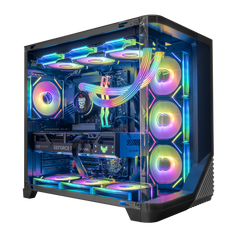
The additional memory makes this GPU especially attractive for a RTX 5060 gaming PC targeting modern textures and longer upgrade cycles.
✨ Introduction
The NVIDIA GeForce RTX 5060 Ti 16 GB, built on Blackwell architecture with GDDR7 memory and DLSS 4 support, positions itself as a compelling mid-range option in 2025. Promising a meaningful uplift over the RTX 4060 Ti, this 16 GB variant improves performance without a drastic price hike and avoids VRAM bottlenecks in modern games.
🔍 Key Specifications
-
CUDA Cores: ~4,608
-
Memory: 16 GB GDDR7, ~448 GB/s bandwidth
-
Memory Bus: 128‑bit
-
Clock Speed: ~2.57 GHz boost
-
MSRP: ~$429 (street prices may vary)
This model notably outpaces the 8 GB version in modern titles where VRAM and bandwidth matter.
📈 Synthetic Benchmark Results
-
3DMark Time Spy v1.2: RTX 5060 Ti achieves ~15,829 vs 12,847 for RTX 4060 Ti 16 GB—a 23% uplift.
-
Content & compute benchmarks (Vulkan / OpenCL): Scores around 140,147 / 146,234—about 14% to 13% ahead of RTX 4060 Ti.
These figures confirm consistent year-over-year gains, especially in compute and DXR workloads.
🎮 Real-World Gaming Benchmarks
Cyberpunk 2077 (1080p, Path Tracing Overdrive + DLSS 4 Super + Frame Generation ×4)
-
avg. FPS ~179, 1% low ~98 FPS, up from ~56 FPS without frame generation
-
Massive improvement over RTX 4060 Ti (~87 FPS)
Doom Eternal (Ultra Nightmare, RT @4K)
-
avg. FPS ~105, 1% low ~68 FPS; DLSS Quality boosts to ~130 FPS avg, 98 FPS 1% low—smooth in a scenario even 8 GB cards can’t handle
Dying Light 2 (1440p)
-
avg. 66 FPS, roughly 22% faster than RTX 4060 Ti and close to RX 7800 XT performance.
Dragon’s Dogma II / Starfield / Black Myth Wukong (1440p)
-
Black Myth: ~57 FPS (13% ahead of 4060 Ti; between RTX 4070 and RX 7800 XT)
-
Starfield: ~65 FPS avg (13% gain over 4060 Ti)
-
Dragon’s Dogma II: ~70 FPS avg (22% faster than 4060 Ti)
These results position the 5060 Ti slightly below AMD's RX 7800 XT in raster, but competitive with 4070 in many titles.
⚖️ Performance vs. RTX 4060 Ti & Competitors
| Metric | RTX 5060 Ti 16GB vs RTX 4060 Ti 16GB |
|---|---|
| Synthetic/Compute | ~23% higher (e.g. Time Spy) |
| 1080p Gaming | ~15–17% uplift |
| 1440p Gaming | ~25–27% uplift |
| 4K (RT/DLSS) | ~65% uplift |
| VRAM & Bandwidth Limits | 8 GB model performance significantly weaker |
It consistently outperforms its predecessor, especially at higher resolutions, though AMD's RX 7800 XT often matches or surpasses it in raster-heavy titles at times.
🔧 Power, Thermals & Efficiency
-
Thermals and fan control remain efficient—e.g., Zotac Twin Edge OC variant stays below 79 °C at 30% RPM, down to ~53 °C at 100% RPM, with minimal clock deviation (~45 MHz).
-
Power draw rises modestly compared to the 4060 Ti, but performance-per-watt improvement is solid given the memory and compute gains.
✅ Final Verdict
The RTX 5060 Ti 16 GB presents a strong mid-range card:
-
It delivers significant uplift over the RTX 4060 Ti, notably at 1440p and above.
-
It avoids VRAM starvation in demanding modern games.
-
DLSS 4 and multi-frame generation amplify its value.
-
However, it's priced higher (street prices near $500), and AMD's RX 7800 XT occasionally offers better value in raster workloads
If you're gaming at 1080p or 1440p with DLSS-capable titles, the 5060 Ti is an intelligent choice. For heavier ray tracing or 4K without upscaling, higher-end cards may be a better fit.


:%20In%E2%80%90Depth%20Benchmark%20Review%20%26%20Performance%20Analysis)