






















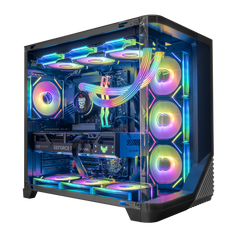




The GPU market in 2026 is ruled by two giants: NVIDIA and AMD. Each defines the way you play games and what features matter most to your setup. Here we’re breaking down the difference between them and hopefully this helps you choose the best option for you.
2026 Market Dynamics: Premium Tech vs. Smart Budgeting
The primary distinction between the two giants this year lies in their philosophy. NVIDIA continues to position itself as the premium option. Their RTX 50-series cards offer industry-leading feature sets that go beyond simple frame rendering. If you want the absolute highest theoretical ceiling for visual quality, Team Green generally holds that crown. However, this technological leadership comes with a steep "GeForce tax".
AMD, conversely, has doubled down on its "performance per dollar" strategy. The RDNA 4 and refreshed RDNA architecture focus heavily on providing accessible frames. If you simply want to plug in a card and see high numbers on the counter without tweaking AI settings, a Radeon card may be the go-to option for you.
A direct comparison of price brackets reveals a clear trend:
- High-end enthusiast: NVIDIA dominates completely. There is virtually no competition for the RTX 5090 tier if budget doesn’t matter.
- High-end mainstream: AMD offers competitive alternatives that often beat GeForce cards in pure rasterization for $100-$200 less.
- Mid-range: this is the fiercest battleground. AMD usually offers more VRAM here, while NVIDIA leans on DLSS to boost performance.
If you are building a top-tier machine and need the absolute best, an NVIDIA GPU desktop remains the gold standard for enthusiasts who refuse to compromise on features.
The AI Revolution: Ray Tracing and Upscaling Superiority
The biggest gap between the two brands remains their approach to light simulation and image reconstruction. Ray tracing has matured from a gimmick into a standard requirement for AAA titles. NVIDIA’s dedicated RT cores are significantly more efficient at handling complex lighting calculations than the accelerators found on Radeon cards. In heavy path-tracing titles like Cyberpunk 2077 (Phantom Liberty Update) or Alan Wake 2, a GeForce card will maintain playable framerates where a Radeon equivalent might struggle.
AMD fights back with FSR (FidelityFX Super Resolution). While FSR is open-source and works on almost any hardware, it historically trailed slightly behind in image reconstruction quality at lower resolutions. However, the latest iterations of FSR utilize AI-based temporal upscaling that has narrowed the visual gap significantly.
If visuals matter the most for you:
- NVIDIA wins on stability and artifact reduction.
- DLSS handles fine details like wire fences and distant power lines better than the competition.
- Ray tracing performance on GeForce hardware is roughly one generation ahead of Radeon.
AI upscaling is the other half of this equation. The gap remains significant due to the maturity of Frame Generation and its integration with DLSS 4 (or 5), which creates smoother motion clarity that feels more responsive.
Rasterization and Memory: Where Radeon Shines
While AI is exciting, standard rasterization is how 90% of games are still rendered. This is where the differences between the brands become interesting. AMD cards frequently outperform their NVIDIA counterparts when you turn off ray tracing. If you primarily play competitive shooters, older titles, or games that do not utilize heavy lighting effects, a Radeon card will often deliver higher frame rates for the same money.
Another critical factor is VRAM (Video RAM). Modern textures at 1440p and 4K consume massive amounts of memory. NVIDIA has historically been stingy with VRAM on its mid-range cards, often limiting 70-class cards to 12 GB. AMD is much more generous, frequently equipping its mid-range competitors with 16 GB or even 20 GB of memory.
This extra memory capacity makes a Radeon PC a smart investment for longevity. Running out of VRAM causes stuttering and texture pop-in, regardless of how fast the GPU core is.
Here is why raw specs matter for gaming performance:
- Higher VRAM allows for higher texture settings without performance penalties.
- Stronger rasterization performance provides better FPS in competitive titles like Call of Duty or Apex Legends.
- The price to performance ratio for AMD is almost always better in pure rasterization scenarios.
Battle of the Drivers: Adrenalin vs. The Unified App
The hardware is only as good as the software controlling it. For a long time, drivers were considered the weak point for AMD. In 2026, that narrative is largely outdated. The AMD Adrenalin software suite is modern, responsive, and arguably more user-friendly than NVIDIA's legacy control panel. It allows users to overclock, undervolt, and adjust fan curves without needing third-party tools like MSI Afterburner.
NVIDIA has finally retired the dated Control Panel and GeForce Experience in favor of a new unified app. It is cleaner and faster than before. However, it still locks some advanced features behind a login, which annoys some privacy-focused users.
Regarding specific software features:
- NVIDIA Broadcast: this remains the industry standard for streamers, offering superior background noise removal and virtual background effects.
- AMD Fluid Motion Frames: a driver-level implementation of frame generation that works in almost any DX11/DX12 game, not just supported ones.
- NVIDIA Reflex: offers slightly better latency reduction for esports pros compared to AMD Anti-Lag 2, though the difference is negligible for casual players.
Both companies now provide stable drivers. The choice comes down to interface preference and specific needs like streaming encoders.
Efficiency, Thermals, and Picking the Right Tier
Power efficiency impacts your electricity bill and the heat output in your room. Power consumption varies heavily depending on the specific architecture generation. Generally, NVIDIA 50-series cards are highly efficient under load, delivering more frames per watt. Their efficiency ensures better performance stability under heavy loads. This means they run cooler and put less stress on your power supply unit (PSU).
AMD cards tend to draw more power to achieve their high clock speeds. This results in higher thermals and often requires a more aggressive fan curve to keep the GPU cool. If you are building in a small form factor (ITX) case, the thermal efficiency of a GeForce card might be necessary. For a standard ATX mid-tower with good airflow, the extra heat from a Radeon card is manageable.
You must identify your specific use cases to find the right value. Buying a flagship card for a 1080p monitor is a waste of money, while buying a budget card for a 4K OLED TV will result in disappointment.
Consider these scenarios before buying:
- The 4K cinematic gamer: prioritize NVIDIA. You need DLSS and superior ray tracing to maintain 60+ FPS at this resolution. The visual features justify the higher price.
- The 1440p high-refresh gamer: look at AMD. The mid-to-high-end Radeon cards offer incredible rasterization gaming performance that fills 1440p/165Hz monitors perfectly without breaking the bank.
- The esports pro: both work, but NVIDIA Reflex provides a slight edge in system latency. However, a lower-tier AMD card might give you higher raw framerates if you play on "Low" settings.
- The content creator: NVIDIA is the safer bet. CUDA cores are widely supported by Adobe Premiere, Blender, and DaVinci Resolve.
Final Verdict
The battle between graphics cards in 2026 has no single winner. The differences are distinct enough that the "best" card depends entirely on your goals.
Choose NVIDIA if you want a complete feature package, heavy ray tracing, professional productivity support, and the best upscaling with DLSS.
Choose AMD if you want maximum FPS per dollar, generous VRAM for high-resolution textures, and driver-level features like FSR that work across a broader range of titles.
Evaluate your budget and your monitor resolution. Check the thermals and power consumption limits of your case and PSU. Once you weigh these factors, the correct choice for your Hyper Cyber build will be clear.


