
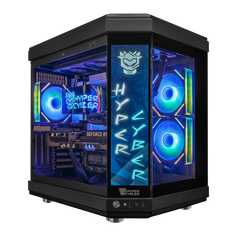
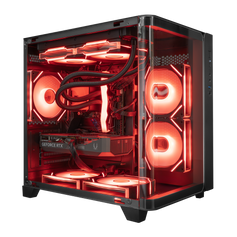
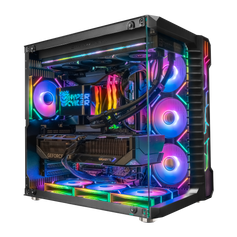
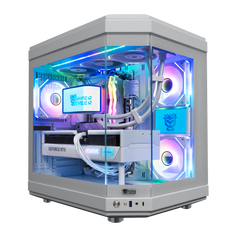






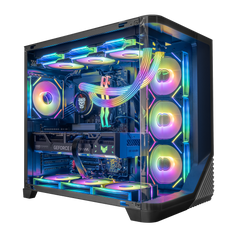
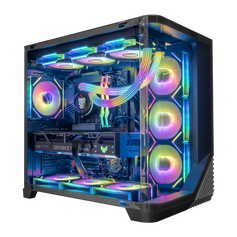
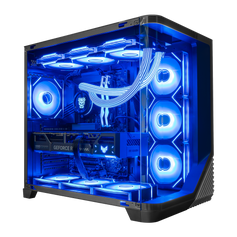


Direct answer: choose the AMD Ryzen 7 9800X3D for a gaming-first PC when sustained heavily threaded work is occasional or unimportant. Choose the Ryzen 9 9950X3D when the same machine must also handle frequent rendering, CPU encoding, large code builds, virtual machines, or similar parallel work. Neither processor determines gaming performance by itself; the graphics card, resolution, settings, memory, cooling, and complete configuration still matter.
Ryzen 7 9800X3D vs Ryzen 9 9950X3D at a glance
| Decision point | Ryzen 7 9800X3D | Ryzen 9 9950X3D |
|---|---|---|
| Core and thread count | 8 cores / 16 threads | 16 cores / 32 threads |
| Maximum boost clock | Up to 5.2 GHz | Up to 5.7 GHz |
| L3 cache | 96 MB | 128 MB |
| Default TDP | 120W | 170W |
| Best starting point | Gaming-first systems | Gaming plus sustained heavily threaded work |
Both processors use AMD's Zen 5 architecture, the AM5 socket, DDR5 memory, and second-generation AMD 3D V-Cache technology. The specifications above come from AMD's current product pages for the Ryzen 7 9800X3D and Ryzen 9 9950X3D. A default TDP is a processor specification, not a promise about complete-system wall power, temperature, or noise.
Choose the Ryzen 7 9800X3D for a gaming-first system
The Ryzen 7 9800X3D is the cleaner starting point when gaming is the main sustained workload. Its 8 cores and 16 threads do not make it a basic processor; they define a more focused allocation of the build budget. If the system mainly runs games, voice chat, browser tabs, launchers, and ordinary background applications, moving to 16 cores is not automatically the most useful upgrade.
The rest of the configuration can change the experience more visibly. At higher resolutions, the graphics card often carries more of the rendering load. Memory capacity and configuration affect how comfortably games and applications coexist. Storage capacity affects the size of the installed library. Cooling, the motherboard, the power supply, case airflow, and display target all shape the complete system.
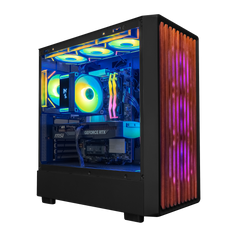
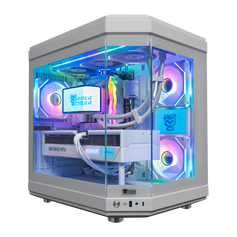
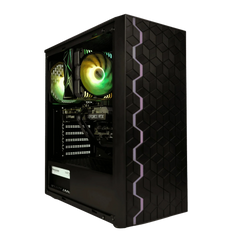
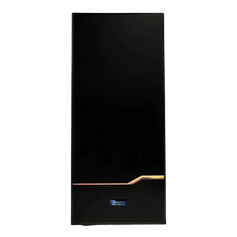
That is why two PCs with the same Ryzen 7 9800X3D can be very different purchases. Compare the exact GPU, memory, storage, motherboard, power supply, cooling, case, operating system, and ports in each current Ryzen 7 9800X3D gaming PC listing.
Choose the Ryzen 9 9950X3D when the same PC also does sustained parallel work
The Ryzen 9 9950X3D doubles the core and thread count to 16 cores and 32 threads. That additional parallel capacity is most relevant when the system regularly performs work that can use it: long CPU renders, CPU-based encoding, repeated compilation, multiple virtual machines, simulation, or other heavily threaded tasks.
The important word is regularly. A larger core count is not a score for the whole computer. If a demanding production job happens once a month, the extra CPU budget may be less useful than a stronger graphics card, more memory, additional storage, or a better display. If those jobs run every day and waiting for them has a real cost, the Ryzen 9 tier becomes easier to justify.
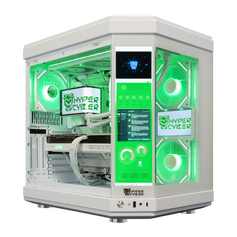
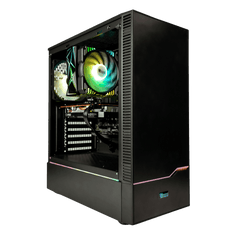
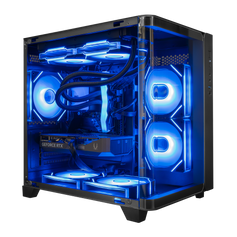
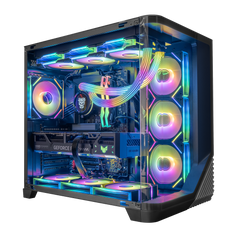
Streaming alone does not settle the choice. The right answer depends on the encoder, software, output settings, game, and what else runs at the same time. Start with the actual workflow, then compare the complete Ryzen 9 9950X3D gaming PC configuration rather than the processor name alone.
Why there is no universal gaming winner
A responsible CPU comparison needs context. Game engines use processors differently. Results change with resolution, graphics settings, graphics card, memory, operating system, background software, game version, and the measurement being reported. An average frame rate, a 1% low, a minimum, and a frame-time graph answer different questions.
That is also why this guide does not repeat the old claim that one processor is a fixed percentage faster in gaming. Without the complete test configuration, game list, settings, software versions, and methodology, a single percentage is not a durable buying rule.
For a gaming-first buyer, the practical question is not “Which CPU has the larger number?” It is “Does paying for more CPU cores solve a real workload, or would the same budget improve the GPU, display, memory, storage, acoustics, or long-term usability more?”
Build the decision from the workload backward
1. Define the display and gaming target
List the main games, monitor resolution, refresh rate, and the graphics settings that matter. A 1080p competitive setup and a 4K high-quality setup can put pressure on different parts of the system.
2. List the non-gaming applications
Name the applications, not only the category. Video editing, 3D rendering, software development, music production, CAD, simulation, and virtual machines do not all scale in the same way.
3. Identify what runs at the same time
A system that alternates between gaming and production work has a different requirement from one that plays, captures, encodes, renders, and runs multiple background tools concurrently.
4. Check memory and storage before upgrading the CPU tier
A workload can be constrained by memory capacity or storage long before it benefits from another eight CPU cores. Confirm the working set, project size, installed game library, scratch space, and expansion plan.
5. Compare the complete listing
Check the exact graphics card, memory configuration, storage, cooling, motherboard, power supply, case, connectivity, operating system, and upgrade access. The processor is one part of the system architecture.
Our recommendation by buyer profile
- Gaming is the main job: start with the Ryzen 7 9800X3D, then put the remaining budget where it changes the actual setup.
- Gaming plus occasional creative work: compare the time spent waiting on that work against the cost of the higher CPU tier. The Ryzen 7 may still be the balanced choice.
- Gaming plus frequent CPU-heavy production: the Ryzen 9 9950X3D is the stronger starting point when the applications can use its additional cores and threads.
- The workflow is mixed or unclear: write down the games, applications, simultaneous tasks, display, storage needs, budget, and likely upgrades before choosing.
Frequently asked questions
Is the Ryzen 9 9950X3D automatically faster for every game?
No. Gaming results depend on the game, resolution, settings, graphics card, memory, software versions, and test method. More CPU cores do not create one universal result.
Is 8 cores enough for a gaming PC?
The Ryzen 7 9800X3D provides 8 cores and 16 threads. Whether that is the right fit depends on the games and the non-gaming work the system must handle, especially tasks that run at the same time.
When do 16 cores make sense in a gaming PC?
They make more sense when the same computer also performs frequent, sustained, heavily threaded work such as CPU rendering, CPU encoding, large code builds, or multiple virtual machines.
Does streaming require the Ryzen 9 9950X3D?
Not by itself. The answer depends on whether encoding runs on the CPU or another hardware encoder, the output settings, the game, and the rest of the live-production workflow.
Should I compare only the CPU when shopping for either processor?
No. Compare the GPU, memory, storage, cooling, motherboard, power supply, case, connectivity, operating system, and exact listing. Those choices determine how the complete PC fits the workload.
Compare the whole system
Browse current Ryzen 7 9800X3D gaming PCs and Ryzen 9 9950X3D gaming PCs. If the right balance depends on several games, applications, displays, or upgrade plans, use the Hyper Cyber custom PC builder to describe the complete workload.


