






















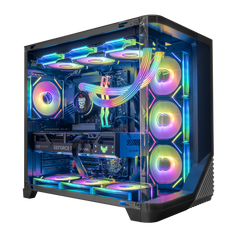




Short answer: 32GB is a practical starting point for many high-end gaming PCs in 2026, including gaming with normal background apps. Choose 64GB when a specific game, simulator, creator tool, development project, virtual-machine setup, or group of simultaneous tasks can use more than 32GB. Extra unused capacity does not automatically increase frame rate.
The right number comes from the complete workload, not the price of the graphics card. List the games and applications that will run at the same time, check their current requirements, and leave sensible room for the operating system and background tasks. That produces a better decision than treating 64GB as a universal premium upgrade.
| Capacity | Good fit | Move up when |
|---|---|---|
| 32GB | High-end gaming, voice chat, browsers, launchers, and normal multitasking when the combined workload fits comfortably | A current game or application specifies more, or real use shows sustained memory pressure |
| 64GB | Memory-heavy simulators, large creator or development projects, virtual machines, and several demanding tasks running together | The actual project or software stack exceeds 64GB; do not jump to 128GB on prestige alone |
32GB is the sensible high-end gaming starting point
For a gaming-focused PC, 32GB gives the operating system, a modern game, launchers, voice chat, a browser, monitoring tools, and ordinary background tasks useful working room. It is not a promise that every game or mod set will fit, but it is a strong default when no current requirement points higher.
This is why the first question should not be “How expensive is the rest of the PC?” A high-end processor or graphics card does not create an automatic need for 64GB of system memory. The display resolution, graphics settings, game engine, background applications, recording or streaming tools, and other active work all matter.
System RAM is also different from graphics memory, or VRAM. The graphics card uses VRAM for frame buffers, textures, geometry, and other rendering data. Adding system RAM does not replace insufficient VRAM, and it does not turn a lower graphics card into a stronger one. If the target is a high-resolution display, use the separate guide to choose a 4K gaming PC around the monitor, games, settings, ray tracing, and accepted use of upscaling or frame generation.
When 64GB is worth paying for
64GB becomes useful when there is a real capacity reason. That can come from one demanding application, a heavily extended simulator, a large project, virtual machines, or the total of several applications running together. It is a workload decision, not a badge for every premium build.
A game or simulator names 64GB as an ideal tier
Microsoft Flight Simulator 2024 lists 16GB as minimum, 32GB as recommended, and 64GB as ideal in its current PC requirements. That does not make 64GB mandatory for every player. It does show why buyers should read the requirements for the exact simulator, add-ons, settings, and background tools they plan to use instead of applying one rule to every game.
Gaming shares the PC with creator work
Creator software can change the decision. Adobe currently recommends 32GB or more for 4K-and-higher work in Premiere. The words “or more” matter: media resolution is only one part of the workload. Project size, effects, cache behavior, other open Adobe applications, a browser, capture tools, and the rest of the workflow can push a system beyond a comfortable 32GB total.
That does not mean every 4K edit needs 64GB. It means a buyer who games and edits on the same machine should size memory for the heaviest real session, not for the game alone.
Development, virtual machines, and several tools run together
Epic recommends 32GB RAM for Unreal Engine 5 development. A development setup may also include an editor, source build, browser documentation, art tools, a local server, and one or more virtual machines. 32GB can still be correct for a focused project. 64GB is the more defensible choice when the actual project and companion tools regularly compete for the same memory.
The same logic applies to local virtual machines and other professional workloads. Count what will run together. A requirement for 16GB inside a virtual machine is not the complete system requirement; the host operating system and the rest of the applications still need capacity.
Why more unused RAM does not automatically improve FPS
RAM is working space. When the active game and background tasks already fit, adding more capacity usually leaves a larger unused pool. It does not give the processor more cores or the graphics card more rendering power.
The experience can change when the system does not have enough working space. Windows may compress memory or rely more heavily on storage-backed paging, and applications may unload and reload data more often. That can make task switching slower or contribute to stalls. The exact behavior depends on the software, storage, and complete configuration, so a capacity upgrade should solve observed or documented memory pressure—not chase a universal frame-rate promise.
Capacity, memory speed, and latency are different choices
32GB versus 64GB answers how much working space the system has. DDR generation, data rate, timings, memory-controller limits, motherboard support, and the number of installed modules affect a different part of the decision.
Do not sacrifice compatibility and stability just to print a higher memory speed on the specification sheet. Use a matched kit supported by the platform, check the motherboard and processor limits, and treat overclocked XMP or EXPO settings as configuration settings that still need to be stable in the finished PC. Adding a second kit later can work, but separate kits are not guaranteed to behave like one factory-matched set even when the labels look the same.
How to choose between 32GB and 64GB
- Write down the complete session. Include the main game, voice chat, browser tabs, capture or streaming tools, editing software, development tools, virtual machines, and anything else that stays open.
- Check current official requirements. Use the exact game and application versions you plan to run. Separate minimum, recommended, and ideal tiers.
- Measure a representative workload when upgrading. Look at memory use and committed memory during the sessions that actually feel constrained, not only at an idle desktop.
- Preserve the rest of the budget. If 32GB covers the workload, spend the difference where it changes the experience: the appropriate graphics card, processor, storage, display, cooling, or another real constraint.
- Plan the kit and platform together. Confirm capacity, module count, speed, motherboard support, cooler clearance, and likely expansion before ordering.
Who should choose each capacity?
Choose 32GB when
- The PC is primarily for gaming and the current game requirements do not point higher.
- Normal background apps fit without sustained memory pressure.
- Creator or development work is occasional and remains within the available capacity.
- The saved budget has a clearer use elsewhere in the configuration.
Choose 64GB when
- A current game or simulator lists 64GB as an ideal tier that matches your intended use.
- Gaming, streaming or recording, creator tools, and browser-based work will run together.
- Large development projects, virtual machines, high-resolution media, or other active workloads can exceed a comfortable 32GB total.
- You have measured real memory pressure and confirmed that capacity—not the GPU, CPU, storage, or network—is the constraint.
Browse current Hyper Cyber gaming PCs by complete configuration, including their listed memory and storage. If the available systems do not allocate capacity around your actual workload, use the custom PC builder and list everything that will run at the same time. That gives the review team a better brief than “high end” by itself.
32GB vs 64GB RAM FAQ
Does 64GB RAM increase gaming FPS?
Not automatically. If the game and background tasks already fit in 32GB, unused capacity does not add CPU or GPU performance. 64GB can help when the real workload exceeds 32GB and the system is under memory pressure, but the result depends on the game and complete configuration.
Is 32GB enough for 4K gaming?
It can be. 4K rendering places major demands on the graphics card and its VRAM, while system-memory needs still depend on the game and background workload. Check both decisions separately rather than assuming 4K requires 64GB of system RAM.
Is 64GB overkill for a high-end gaming PC?
It is unnecessary when the full workload fits comfortably in 32GB. It is reasonable when a simulator, creator tool, development project, virtual-machine setup, or group of simultaneous tasks has a documented or measured need for the extra capacity.
Should I use two or four memory modules?
Use a matched kit that the processor and motherboard support. A two-module kit often leaves a simpler upgrade path, while four modules can place more load on the memory controller and may change the stable data rate. Check the exact platform rather than applying one module rule to every PC.
Can I start with 32GB and add more later?
Often, but verify the motherboard's slot layout, supported capacity, cooler clearance, and current kit. Mixing separately purchased kits is not guaranteed to run at the same settings as one matched kit, even when the advertised model and speed appear identical.
Bottom line: choose 32GB when it covers the games and applications that will run together. Choose 64GB when a current requirement, representative measurement, or clearly defined simultaneous workload justifies it. The honest high-end choice is the capacity the complete system can use—not the largest number available.


