






















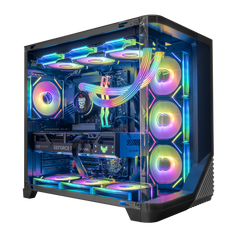




The right 4K gaming PC is the system that fits a specific 3840×2160 display, refresh-rate target, game list, graphics settings, and workload. A 60 Hz visual-quality target is different from 120 or 144 Hz. Ray tracing can change the graphics load, while upscaling and frame generation change how the final image and displayed frame rate are produced. Define those choices before comparing GPU names.
That is the practical answer to “What PC do I need for 4K?” There is no honest universal parts list or FPS promise for every game. Start with the screen and the experience you want, then match the graphics card, processor, memory, storage, cooling, power, and connections to the same brief.
Start with a written 4K target
In consumer PC gaming, native 4K normally means a 3840×2160 display. Resolution is only the first line of the brief. Before choosing a system, write down:
- The monitor's native resolution and maximum refresh rate.
- The two or three games that matter most.
- The settings priority: maximum image quality, higher frame rate, ray tracing, or a deliberate balance.
- Whether upscaling and frame generation are acceptable.
- Everything else the PC must do: streaming, recording, editing, rendering, compiling, virtual machines, or other simultaneous work.
- The practical limits: budget, case size, noise preference, storage needs, ports, networking, and upgrade plans.
A buyer playing slower single-player games on a 4K 60 Hz display can make different choices from someone targeting 120 or 144 Hz. A competitive game at reduced settings creates a different CPU and responsiveness question from a visually demanding game with ray tracing. Treat those as separate briefs.
Use refresh rate to define the workload
| 4K target | What to define first | What to compare in the PC |
|---|---|---|
| 60 Hz with higher image quality | Main games, preset, ray tracing, and tolerance for upscaling | GPU capability for those exact games, graphics memory, cooling, power, and a suitable display connection |
| 120 or 144 Hz balance | Which games must approach the display target and which can run lower | GPU and CPU together, game-specific evidence, memory, cooling, power, and end-to-end port/cable support |
| Competitive responsiveness | Settings, latency priorities, and whether native 4K is required in every title | CPU-sensitive performance, GPU headroom, display features, stable frame delivery, and background tasks |
| Ray-traced visual target | Games with ray tracing, chosen effects, and accepted upscaling mode | Game-specific ray-tracing evidence, GPU features, graphics memory, cooling, power, and image-quality tradeoffs |
The table is a planning tool, not a benchmark. A monitor's maximum refresh rate does not mean every game must reach the same number, and a powerful graphics card does not guarantee one result across different engines, patches, drivers, presets, or ray-tracing settings.
Separate native rendering, upscaling, and frame generation
These terms are often collapsed into one marketing number, but they describe different rendering paths.
- Native 4K renders the game at the display's 3840×2160 output resolution without resolution upscaling.
- Upscaling starts from a lower internal render resolution and reconstructs a higher-resolution output. NVIDIA's current DLSS documentation and AMD's current FSR documentation describe their present upscaling and frame-generation systems.
- Frame generation creates additional displayed frames between conventionally rendered frames in supported games. Treat a frame-generation result separately from a native or upscaled result without frame generation.
None of these modes is automatically the correct choice for every buyer. Compare image quality, responsiveness, support in the games you play, and the reported test method. If a chart does not identify the resolution, preset, ray tracing, upscaling mode, frame generation, CPU, driver, game build, and metric, it is not enough evidence for a purchase.
Choose the graphics card from the game list, not the label
The graphics card is central to most 4K gaming builds, but model names alone do not answer the buying question. Use current, game-specific tests that resemble your resolution, settings, ray-tracing choice, upscaling mode, and target refresh rate. Separate average FPS, low-percentile results, latency, and frame-time behavior because they describe different parts of the experience.
Hyper Cyber currently has live collections for RTX 5080 gaming PCs and RTX 5090 gaming PCs. NVIDIA's official GeForce comparison page documents the current product specifications and supported technologies. AMD's official Radeon RX 9070 XT page documents its current specifications and supported features.
Use those manufacturer pages for product specifications, not as proof of one universal game result. Also check the exact graphics-card model on the individual system page: board design, cooling, dimensions, power connectors, and display outputs can matter to the complete build.
The CPU still matters at 4K
Higher graphics resolution can make the GPU the more visible limit in many settings, but the processor still handles game logic, simulation, draw preparation, background work, and non-gaming applications. CPU demand can become more visible when the target frame rate rises, the game is simulation-heavy, or the same PC is streaming, encoding, compiling, rendering, or running other work at the same time.
Do not choose a CPU from core count or a badge alone. Match it to the games, the frame-rate target, and the secondary workload. Then confirm that the cooling, motherboard, memory, and power configuration make sense around it.
Do not treat the supporting parts as footnotes
Memory
Choose capacity for the games and applications that will actually run together. More unused memory does not automatically raise game performance, while too little capacity can make multitasking and large projects harder. Check the total capacity, module layout, memory generation, speed shown on the listing, and the upgrade path.
Storage
Estimate space for Windows, the active game library, applications, recordings, and project files. A larger primary drive can reduce day-to-day file management. Additional drive slots can matter more than buying capacity you do not need on day one.
Cooling, power, and case fit
Cooling and airflow must suit the selected CPU, GPU, and room environment. The power supply needs the right capacity, quality, and connectors for the complete configuration. The case must physically fit the graphics card, cooling hardware, storage, and cable routing while matching the buyer's space and noise preference.
Display outputs and cable
Check the exact monitor input, GPU output, cable, resolution, refresh rate, color mode, and feature support as one chain. HDMI's current specification overview shows why the supported resolution and refresh rate depend on the connection standard and compatible equipment. A label on only one device is not an end-to-end compatibility check.
Use a repeatable comparison process
- Write the display target. Record 3840×2160, refresh rate, and the monitor's inputs.
- Name the games. Use the exact titles and note whether they are competitive, simulation-heavy, or visually demanding.
- Choose the settings philosophy. Decide where visual quality, ray tracing, frame rate, and responsiveness rank.
- Choose the rendering modes. Decide whether native rendering, upscaling, and frame generation are acceptable for each game.
- Compare relevant evidence. Prefer current tests with the same game, resolution, settings, CPU class, and clearly labeled metric. Our guide to reading RTX 5080 benchmark results explains the disclosure details that make a number useful.
- Check the complete configuration. Review CPU, GPU, memory, storage, motherboard, cooling, power, case, networking, ports, operating system, and upgrade options.
- Verify the current listing. Use the individual product page for current specifications and availability. If no listed system fits the brief, use the custom PC builder to describe the exact target.
Frequently asked questions
What does 4K mean for PC gaming?
For a typical consumer gaming monitor, native 4K means 3840×2160 pixels. The experience also depends on refresh rate, game, preset, ray tracing, upscaling, frame generation, and the rest of the system.
Is 4K 60 Hz easier to plan for than 4K 144 Hz?
They are different targets. A higher refresh-rate goal asks the system to prepare and display frames more frequently, but the real demand still depends on the game and settings. Define which games must approach the higher target instead of expecting every title to behave the same way.
Do I need the most expensive GPU for 4K?
Not automatically. The right GPU depends on the games, settings, ray tracing, accepted upscaling mode, refresh-rate target, and budget. Compare current evidence for the exact workload and the complete system rather than buying from rank alone.
Should I use upscaling for 4K gaming?
Upscaling can be useful when a supported game's image quality and responsiveness meet your preference. Compare the modes in the specific games you play. Keep native, upscaled, and frame-generated results clearly labeled when reading benchmarks.
How much memory and storage does a 4K gaming PC need?
Resolution alone does not set one universal memory or storage requirement. Use the requirements of the games and applications that will run together, the size of the active library, recording or project-file needs, and the desired upgrade path.
What should I verify before ordering?
Confirm the exact CPU, GPU, memory, storage, motherboard, cooling, power supply, case, networking, operating system, display outputs, current availability, and warranty terms on the individual listing. Make sure the monitor and cable support the intended resolution and refresh rate.
Build around the experience you actually want
A useful 4K configuration begins with a display, a game list, and a settings philosophy. Once those are clear, compare the graphics card and processor as a pair, size the memory and storage for real use, and verify the supporting hardware. Browse current RTX 5080 systems, compare RTX 5090 systems, or use the Hyper Cyber custom PC builder when the available configurations do not match the target.


