






















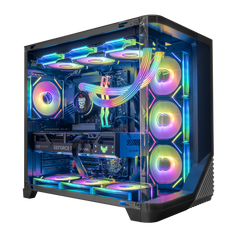



The CPU (Central Processing Unit) is the “brain” of your PC. It handles game logic, physics, AI, input processing, and feeding draw calls to the GPU. In gaming, the CPU doesn’t directly draw frames like the graphics card, but it strongly influences how high and stable your FPS can be – especially in CPU‑heavy titles, large open worlds, and high‑refresh esports games.
What the CPU Does in Games
Every frame, the CPU is responsible for:
- updating game logic and player inputs
- managing AI and physics
- preparing data and commands for the GPU
- talking to storage, RAM, and the network
If the CPU can’t keep up, it becomes a bottleneck – the GPU sits idle waiting for work, and your FPS plateaus no matter how powerful the graphics card is. Balanced systems, such as well‑specced gaming PCs, pair CPU and GPU tiers so that neither is dramatically holding the other back.
CPU Impact on FPS
The CPU matters most when:
- you’re targeting high FPS (120–240+) in competitive titles
- games have lots of entities, AI, or physics
- you’re playing at lower resolutions (1080p), where the GPU is less stressed
High‑quality Intel i5 / i7 or AMD Ryzen 5 / 7 CPUs are excellent gaming choices, while Ryzen 9 and Intel i9 are ideal when you combine gaming with heavy multitasking, streaming, or content creation.
Related Concepts
- GPU – Works alongside the CPU; draws the actual frames your monitor displays.
- Core Count – Number of physical cores in the CPU; affects how many tasks it can handle in parallel.
- Thread Count – Number of concurrent threads the CPU can execute; important for modern engines.
- Cache Memory – On‑chip memory that helps the CPU access data quickly and reduce latency.
- Bottleneck – Happens when the CPU can’t keep up with the GPU or vice versa.


