






















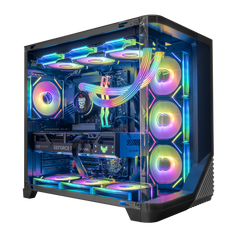



The motherboard is the main circuit board that connects all your components together: CPU, RAM, GPU, storage, power delivery, and expansion cards. It defines what CPUs you can use, what memory standard you run, how many PCIe and M.2 slots are available, and which features your system supports.
What the Motherboard Controls
Key roles of the motherboard:
- CPU socket and chipset – determine which processors are supported
- Memory slots – DDR4 vs DDR5, capacity and speed support
- PCIe slots – for GPUs and other expansion cards
- M.2 / SATA ports – for NVMe and SATA drives
- Power delivery (VRMs) – critical for CPU stability and overclocking
- I/O: USB ports, networking, audio, etc.
In gaming PCs, the motherboard is less about raw FPS and more about capability, connectivity, and headroom.
Choosing the Right Motherboard for a Gaming PC
Consider:
- CPU support (for example, AM5 vs LGA1700)
- PCIe 4.0 / 5.0 and M.2 support for NVMe Gen4/Gen5 SSDs
- VRM quality if you’re running high‑end CPUs or overclocking
- number of PCIe slots and M.2 slots for future upgrades
- physical size (ATX, micro‑ATX, mini‑ITX) matching your case
Well‑designed gaming PCs pair the right motherboard with the CPU and GPU class so you aren’t limited by missing features or weak power delivery.
Related Concepts
-
CPU / GPU – Plug into the motherboard and rely on its power delivery and slots.
-
PCIe 4.0 / PCIe 5.0 – Provided through motherboard slots for GPUs and NVMe SSDs.
- NVMe Gen4 / Gen5 – Storage generations whose speeds depend on what the motherboard supports.
- Form Factor – Physical size standard (ATX, mATX, etc.) that affects case compatibility.


